
VSA · Autodesk® Inventor® 2026 · Autodesk® Vault® 2026
Your Inventor and Vault projects, from first part to shipment.
VSA gathers into one application the tools that save your design office hours: building, pushing to Vault, updating, preparing drawings and shop-floor files.
One self-contained executable, nothing to install on your machines · Free trial · Support based in Quebec
Thousands of files into Vault, in one pass, with the right information.
Import Project
Pushing a complete project into Vault file by file takes hours and lets mistakes through. Import Project fills in the properties of every file (project, part number, module, title) before sending, closes Inventor cleanly, pushes parts before assemblies, rebuilds the links, then keeps a safety copy. About 2,300 files in 8 to 12 minutes, measured on a real project.
One line per module, no jargon.
What is ready today, and what comes next.
-
READY
Import Project
Fills in the right information, then pushes the whole project into Vault, parts before assemblies.
-
READY
Create Module
Copies a template module and renames it for a new project, links included.
-
READY
Open Vault Project
Finds and opens the right project without digging through the tree.
-
READY
Update Workspace
Pulls the latest versions from Vault in one click.
-
READY
Smart Tools
The small repetitive Inventor actions gathered in one panel: properties, views, cleanup.
-
READY
DXF Verifier
Checks cutting files before they head to the shop floor.
-
READY
PDF Watermark
Stamps your drawings “Approved”, “For quote” or “Uncontrolled copy”.
-
READY
File Delivery
Prepares and sends the deliverables to the client or the shop floor, with nothing left out.
-
COMING
Place Equipment
Places and positions equipment inside the module, with rotation and repeats.
-
COMING
Build Module
Retakes the structure and parts of a template module for a new project.
-
COMING
Change State
Moves a document to the next step in your own review rules.
-
COMING
Nesting
Prepares the flat pattern and the nesting of parts on the sheet.
-
COMING
Project Checklist
Your own checklists, defined by your team.
-
COMING
Shipping List
Gathers parts, documents and quantities into one packing list.
Three screens from the application, as they are.
Captured from VSA. Click any image to enlarge it.
-
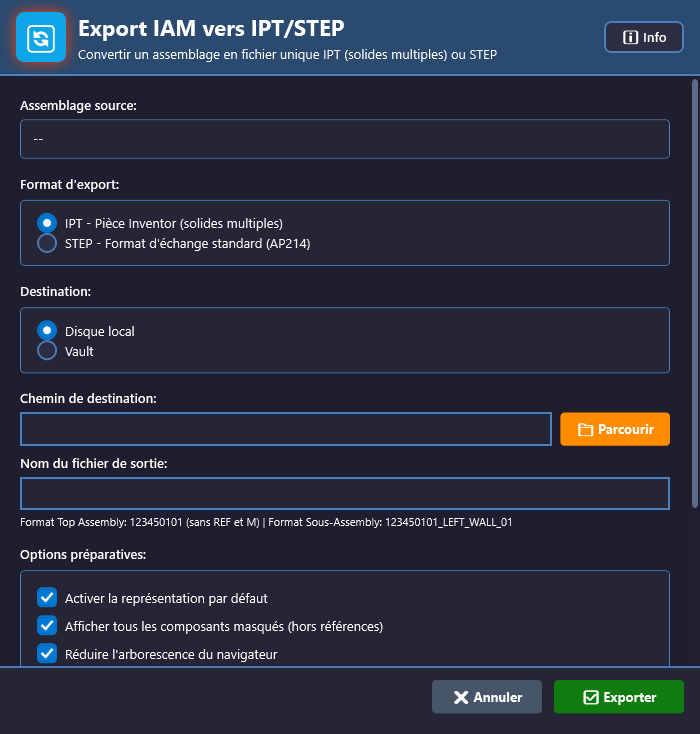
File delivery
“Prepares and sends the deliverables to the client or the shop floor, with nothing left out.”
-
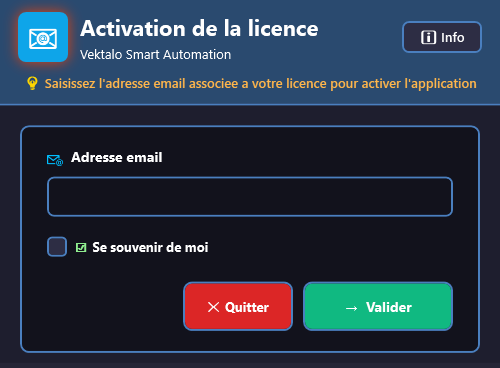
Licence
“Your licence activates in one click and follows the user from one workstation to the next.”
-
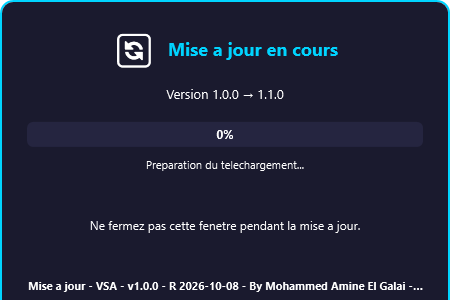
Update
“Updates install themselves: nothing to download, nothing to reinstall.”
Three levels, each unlocking more modules.
VSA is sold per user, in three levels that unlock modules: Essential (the everyday tools), Pro (building and bulk transfer), Enterprise (the full suite, team settings, priority support). Free trial. Your licence activates in one click and follows the user from one workstation to the next.
-
Essential
Open a Vault project, update the workspace, Smart Tools, DXF verifier, PDF watermark.
-
Pro
Module creation, file delivery, change of state, nesting, bulk work.
-
Enterprise
The full suite, team settings, project checklists, usage tracking, priority support.
What it runs on.
- SYSTEM
- Windows 10 and 11
- INVENTOR
- Autodesk Inventor 2026
- VAULT
- Autodesk Vault 2026
Let us show you VSA on one of your real projects.
Send us a representative project: we will show you the result on your own files, not on a sample.
- PRODUCTS AND PRICING
- contact@vektalo.com
- TECHNICAL SUPPORT
- support@vektalo.com