
VAS · Autodesk® Inventor® · SOLIDWORKS®
Never lose an hour of work again.
Vektalo AutoSave saves your Inventor and SOLIDWORKS files automatically, in the background, and never interrupts what you are doing.
Free base edition, open source at launch · No administrator rights required · Portable or installed
One lost hour can take the day with it.
This is not a setting people forget to turn on. It is how CAD programs save, and what shortcuts do at the wrong moment.
-
01
The software crashes, the day goes with it.
A power cut, a crash, a window closed by mistake: everything you had not saved is gone.
-
02
The built-in autosave gets in the way.
It opens windows in the middle of a command, slows the work down, and plenty of designers end up turning it off.
-
03
Macros and keyboard shortcuts are risky.
A simulated Ctrl+S at the wrong moment can break a command or save an assembly only half up to date.
You work. That is all you have to do.
-
1. Start AutoSave once.
It sits near the Windows clock and starts with your session.
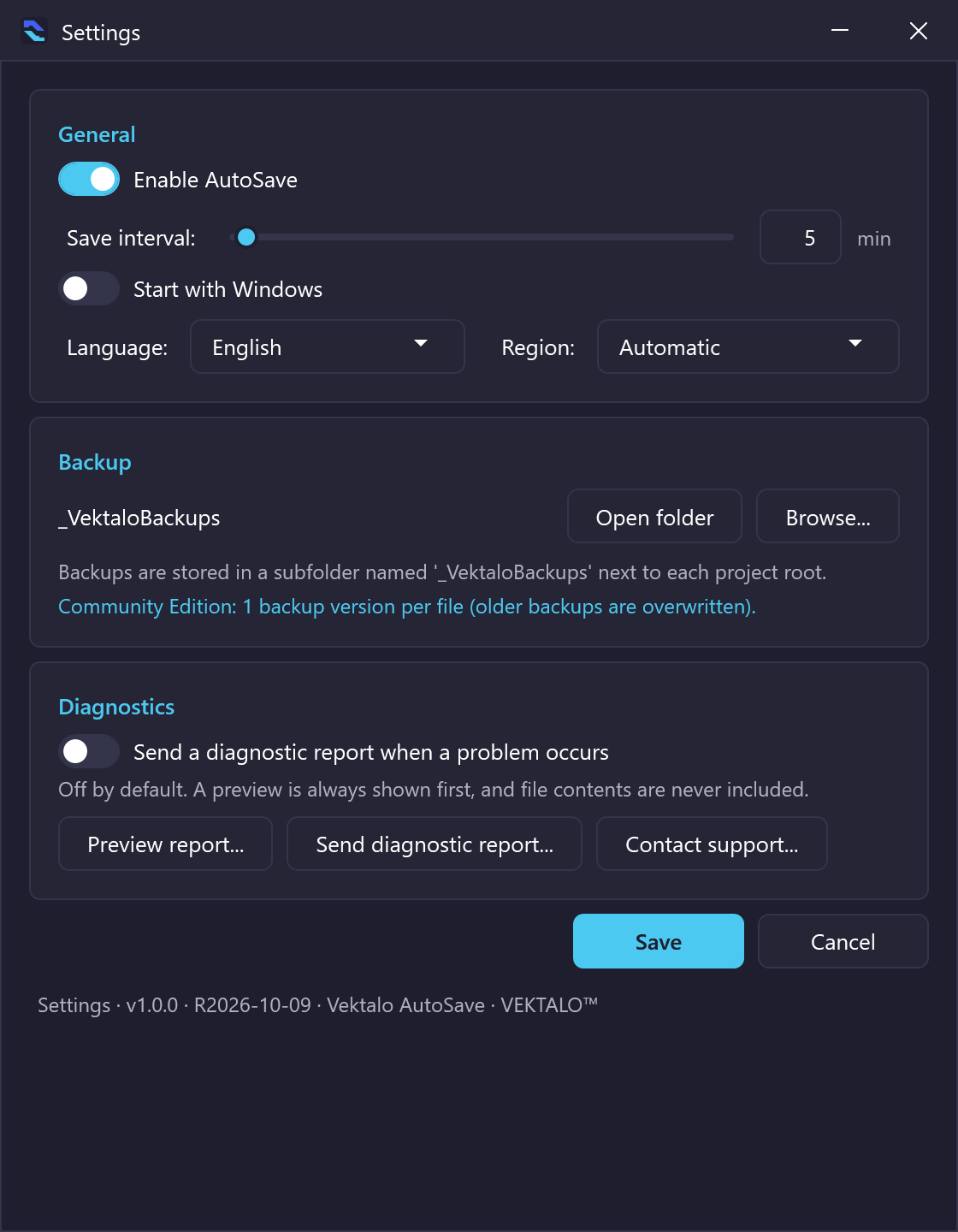
Settings (Community edition) — “Pick your interval, your backup folder and whether AutoSave starts with Windows. That is all.” -
2. Work normally.
AutoSave recognizes Inventor and SOLIDWORKS as soon as they are open.
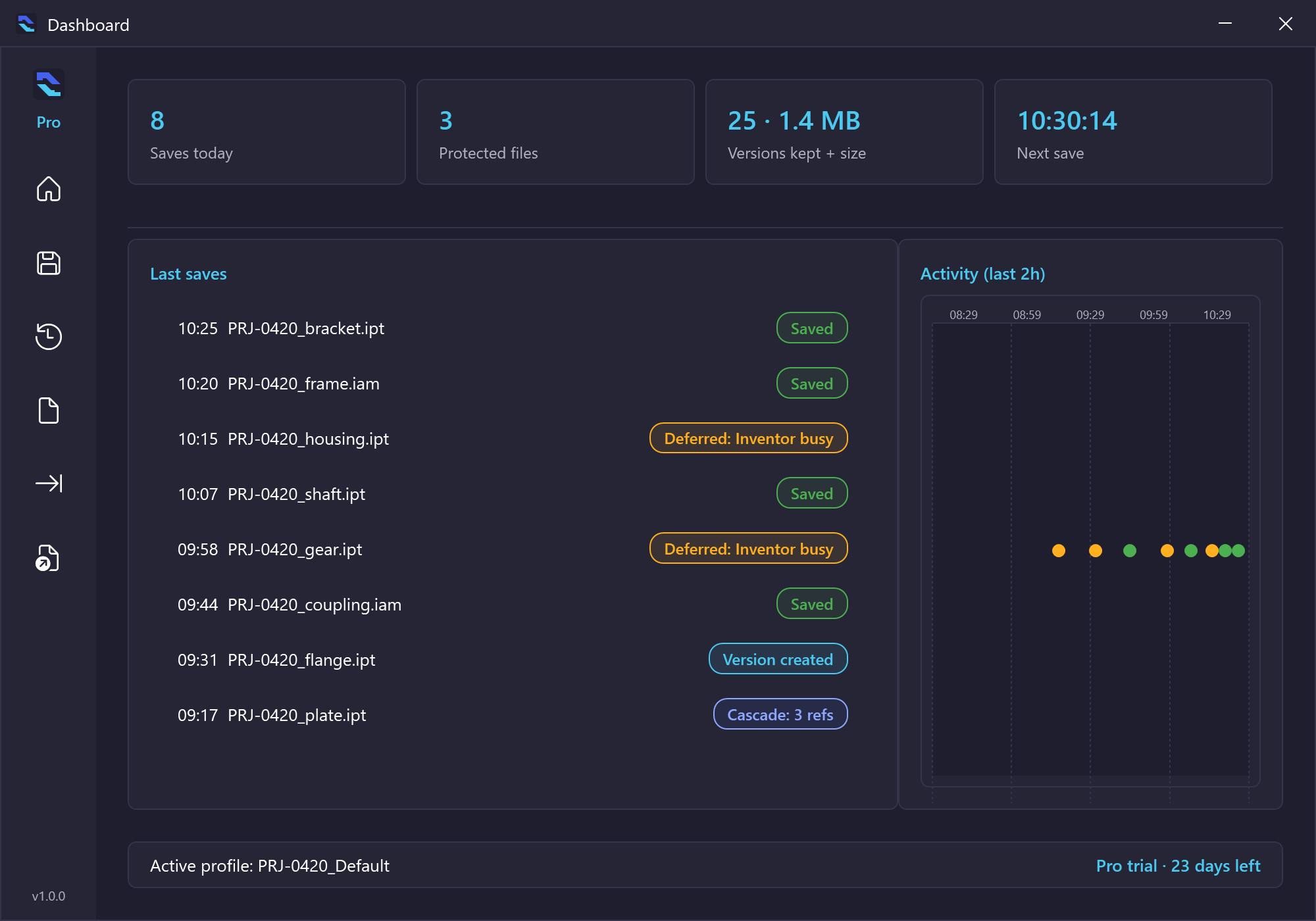
Dashboard (Pro edition) — “Recent saves, protected files, next save.” -
3. It waits for the right moment.
Never during a command, never during a calculation: it saves when you pause, at the interval you choose.
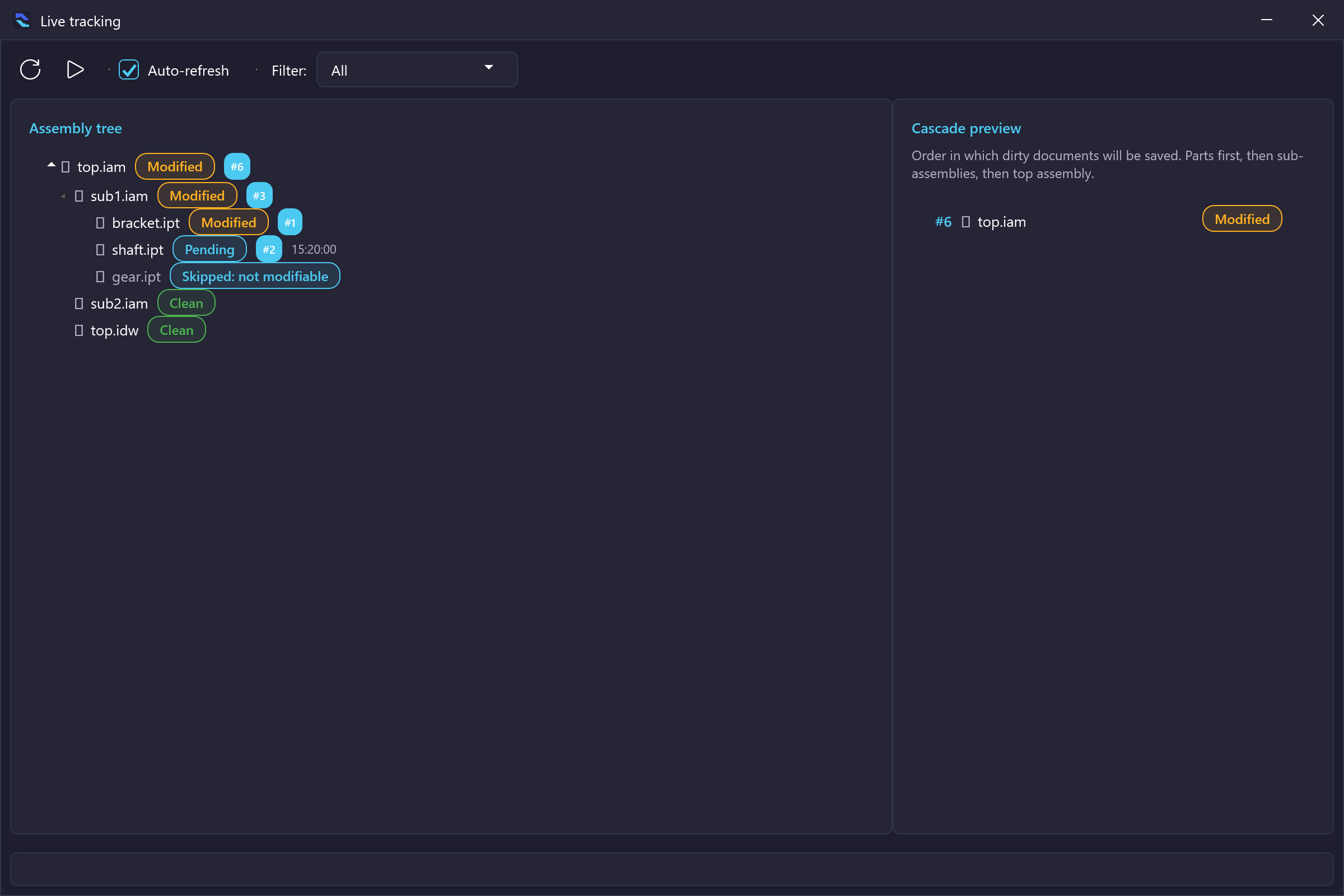
Live tracking (Enterprise edition) — “Your assembly as a tree: what changed, what is waiting, what is saved, and in which order it will be.” -
4. A backup is kept.
Before every save, the previous version is put aside. Made a mistake? Go back.
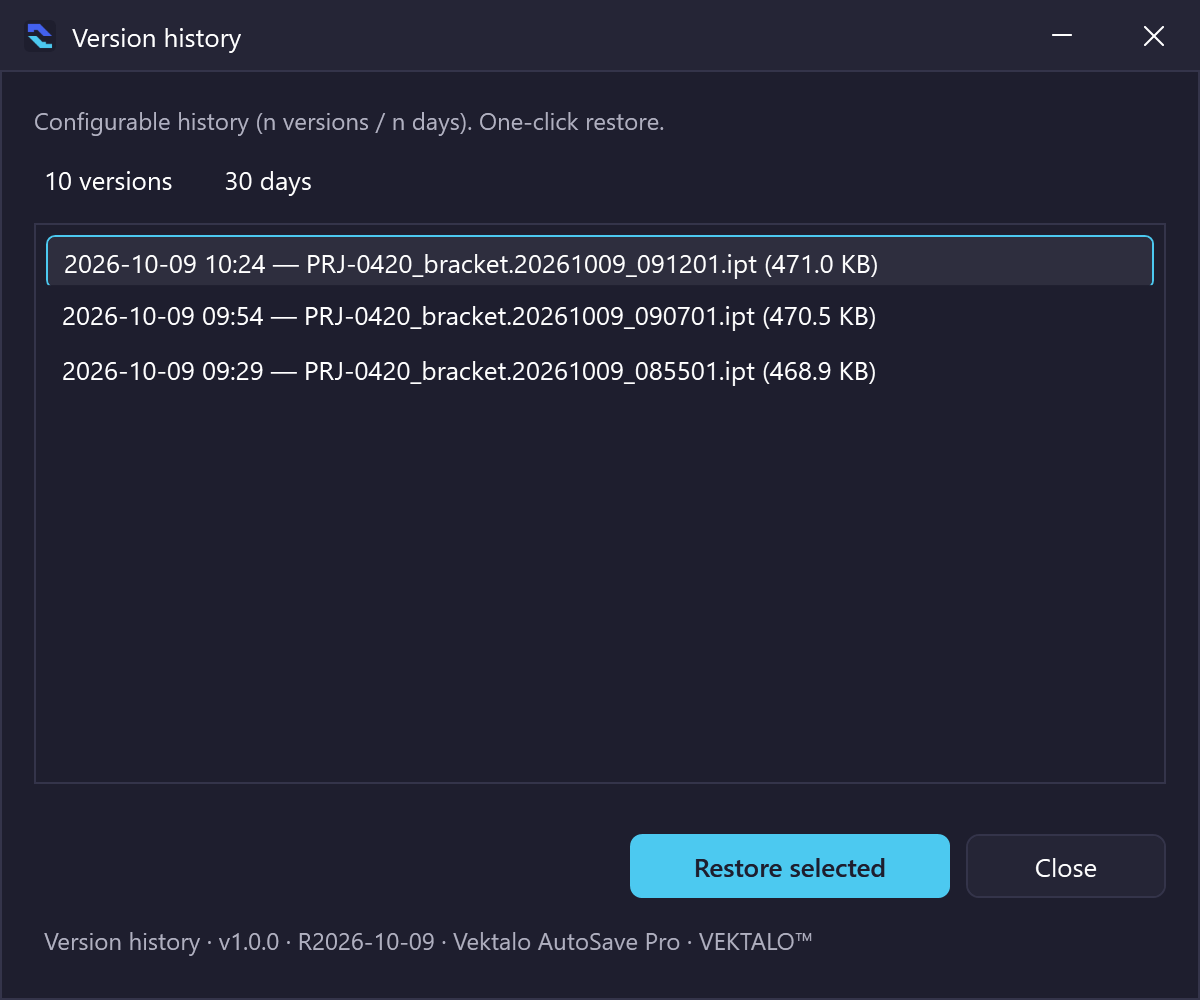
History (Pro edition) — “Every version kept, with its date. One click to go back.”
For the designer who wants the technical answer.
- It saves through the CAD program’s own command, not by pretending to type on your keyboard.
- It respects the order of your references: parts first, then sub-assemblies, then the top assembly, then drawings. Your links do not break.
- It leaves read-only files, files a colleague has reserved in Autodesk® Vault®, and libraries alone.
- It grew out of a tool used every day in production on Inventor: no broken links, no corrupted files.
Three plans. The same protection, sized to your team.
Prices appear once they are published; until then, an email is enough.
| Feature | Community Free |
Pro Price at launch |
Enterprise Price at launch |
|---|---|---|---|
| Who it is for | The designer who wants to be protected | The designer who wants to keep the history | The team that wants to see everything and work the same way |
| Quiet automatic saving (Inventor, SOLIDWORKS) | ✓ | ✓ | ✓ |
| Never interrupts a running command | ✓ | ✓ | ✓ |
| Backup copy before every save | 1 copy | Full history, one click back | Full history, one click back |
| Starts with Windows, notifications | ✓ | ✓ | ✓ |
| Automatic updates | ✓ | ✓ | ✓ |
| Smart rules (per file type, per project, based on your activity) | — | ✓ | ✓ |
| Cascade saving on close (parts → sub-assemblies → assembly) | — | ✓ | ✓ |
| Backups filed under your project numbers | — | ✓ | ✓ |
| Live tracking of every open file (modified, pending, saved) | — | — | ✓ |
| Same settings for the whole team, profiles, action log | — | — | ✓ |
| Support | Community | Priority |
Free 14-day trial of the Enterprise plan, once per workstation. No credit card.
What you will see, screen by screen.
Captured from the application itself. Click any image to enlarge it.
-
Settings — Community
“Pick your interval, your backup folder and whether AutoSave starts with Windows. That is all.”
-
Dashboard — Pro
“Recent saves, protected files, next save.”
-
History — Pro
“Every version kept, with its date. One click to go back.”
-
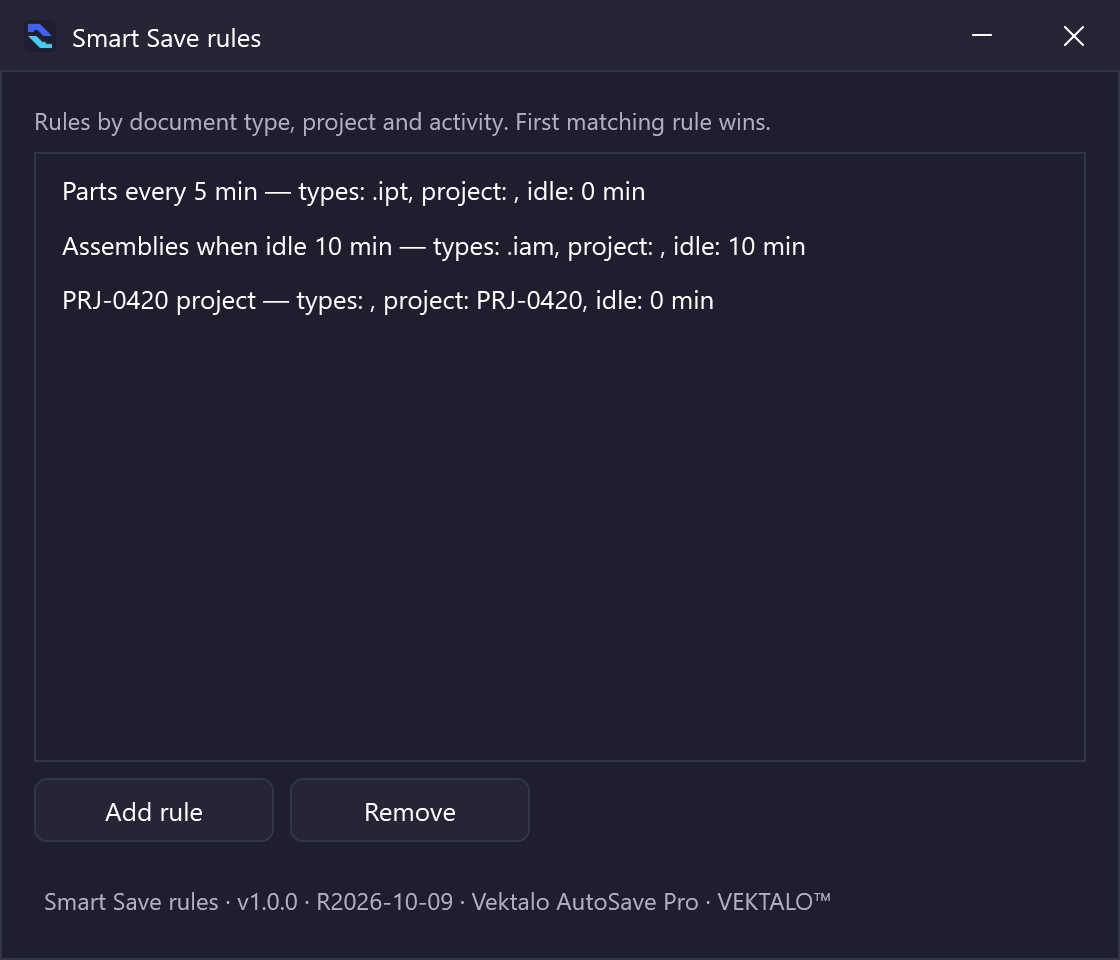
Smart rules — Pro
“Save assemblies more often, drawings less often, and never an archived project.”
-
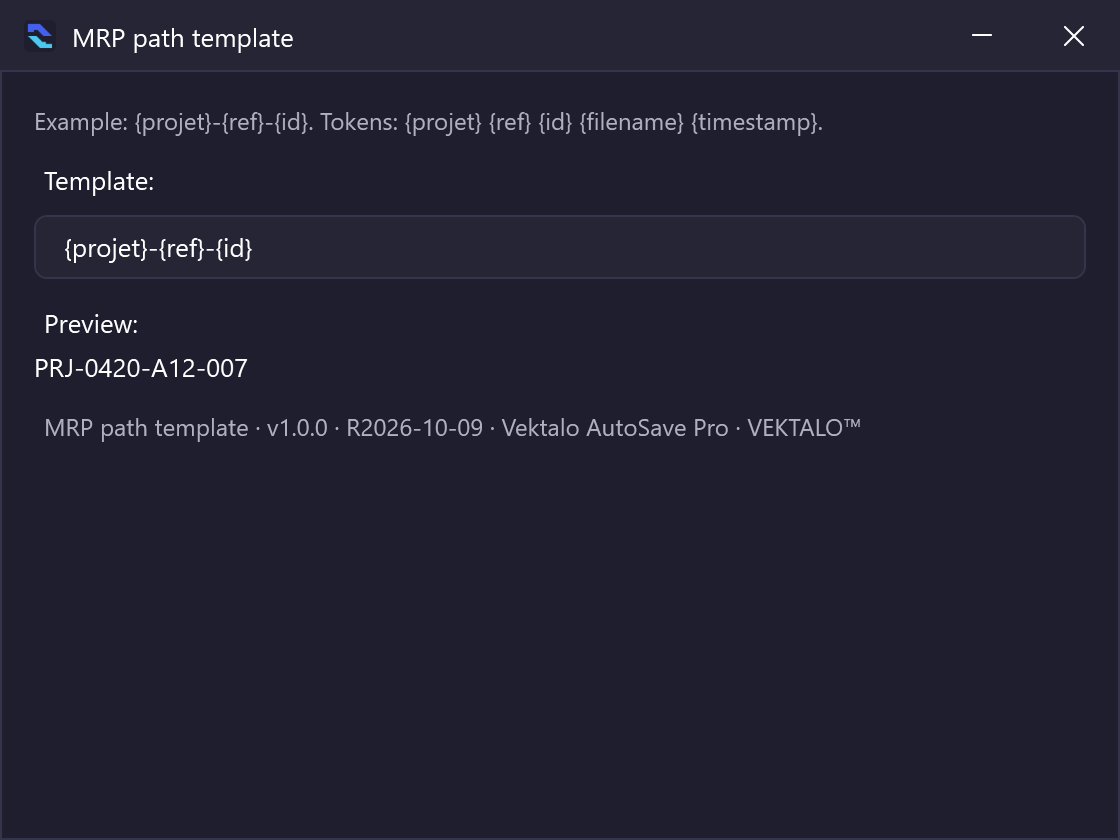
Project filing — Pro
“Backups are filed under your numbering, for example project-part number-part.”
-
Live tracking — Enterprise
“Your assembly as a tree: what changed, what is waiting, what is saved, and in which order it will be.”
-
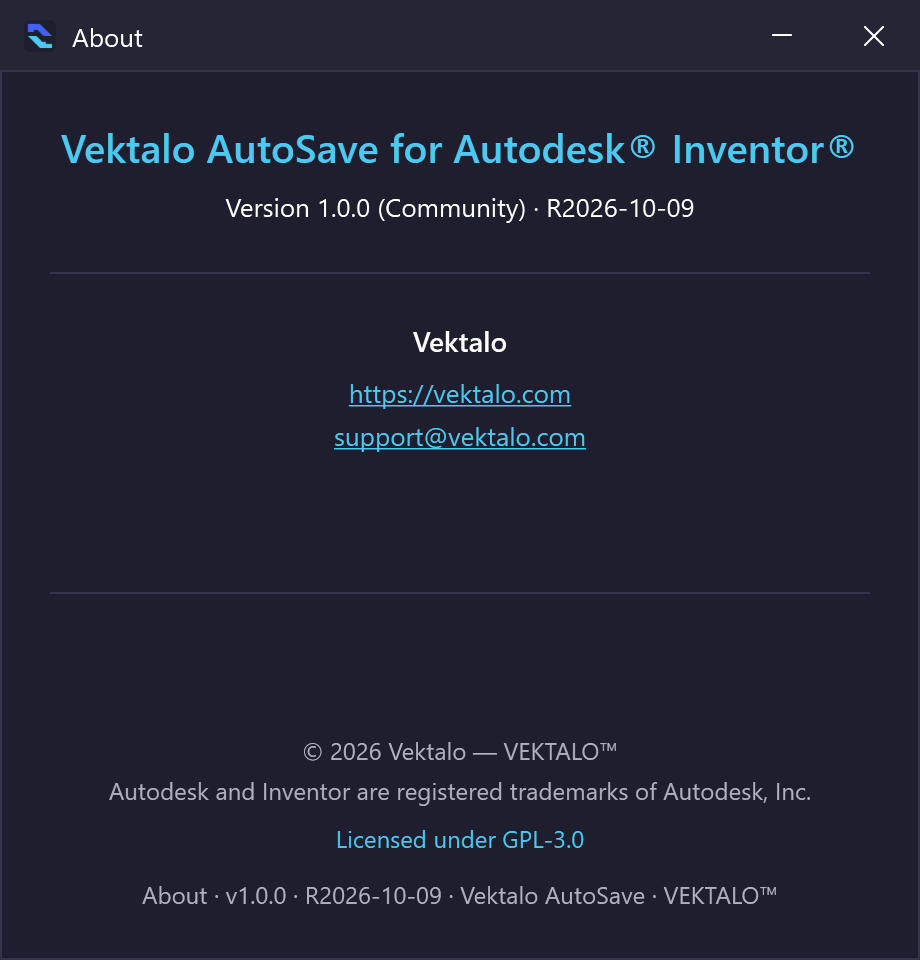
About — Community edition
“The Community code will be public at launch: anyone will be able to check what it does.”
Nothing to install for now — and almost nothing afterwards.
-
Installed
One file to run, no technical questions, no administrator rights.
-
Portable
A single file you can put anywhere (USB key, network folder, locked workstation). It keeps starting with Windows and showing notifications.
-
Updates
AutoSave checks whether a new version exists, downloads it, verifies that it really came from Vektalo, then puts it in place at the next start. You do nothing.
What it runs on.
- SYSTEM
- Windows 10 and 11
- INVENTOR
- Recent versions; tested on Inventor 2026
- SOLIDWORKS
- Beta — validation planned with the SOLIDWORKS partner program
- OTHER CAD
- Solid Edge and others: coming soon
The four questions we are asked most.
Does this replace my CAD program’s own save?
Yes. You can turn the built-in autosave off: AutoSave does it better, without the window.
Do my files go to the internet?
No. Your files never leave your computer. Only the licence is checked online, from time to time.
What if I work offline?
AutoSave keeps working, and the licence stays valid for several days without a connection.
Why is there a free edition?
Because a designer who is protected is a designer who trusts us. The Community code will be public at launch: anyone will be able to check what it does.
A question about AutoSave? Write to us.
Tell us which version of Inventor or SOLIDWORKS you use and how many workstations are involved; we will answer with the right configuration.
- PRODUCTS AND PRICING
- contact@vektalo.com
- TECHNICAL SUPPORT
- support@vektalo.com